Add MCP Server to ChatGPT
ChatGPT supports adding MCP servers in developer mode. Follow these steps to integrate elmah.io.
- Inside of ChatGPT, click your profile in the lower left corner and click on Settings.
- Click the Apps tab:
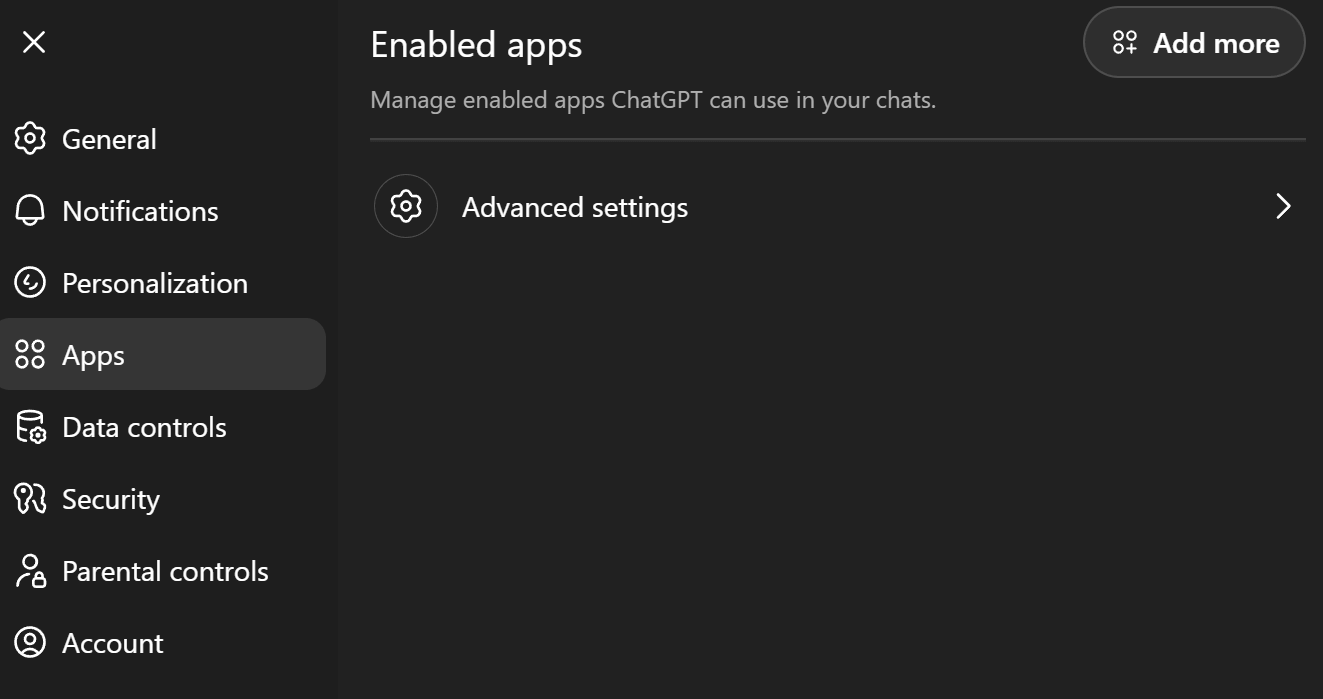
- Click Advanced settings and enable Developer mode:
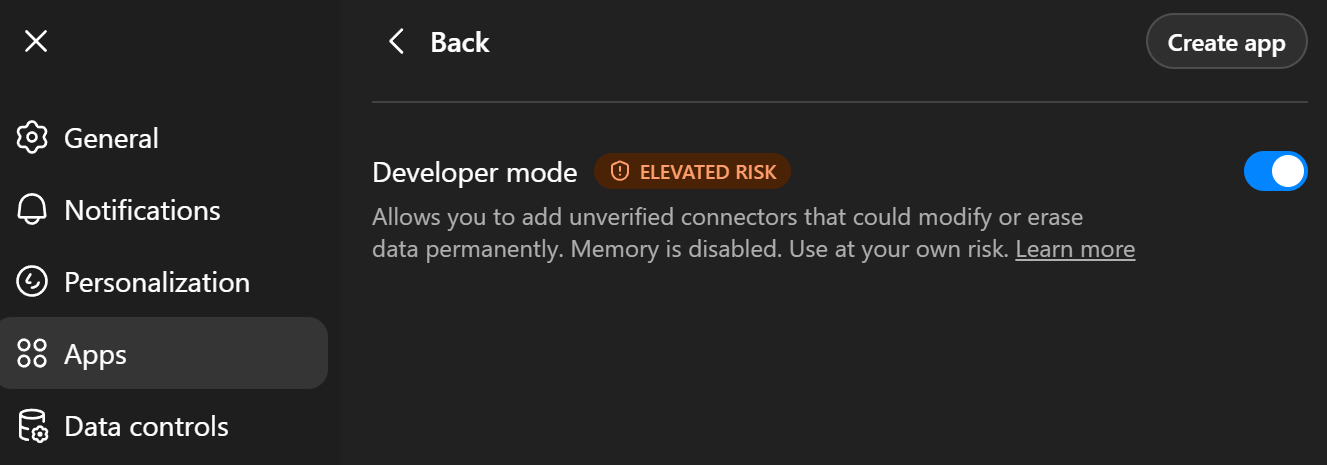
- Click Back and Create app. Fill in the elmah.io MCP server details (ChatGPT will automatically fill in the callback URL):
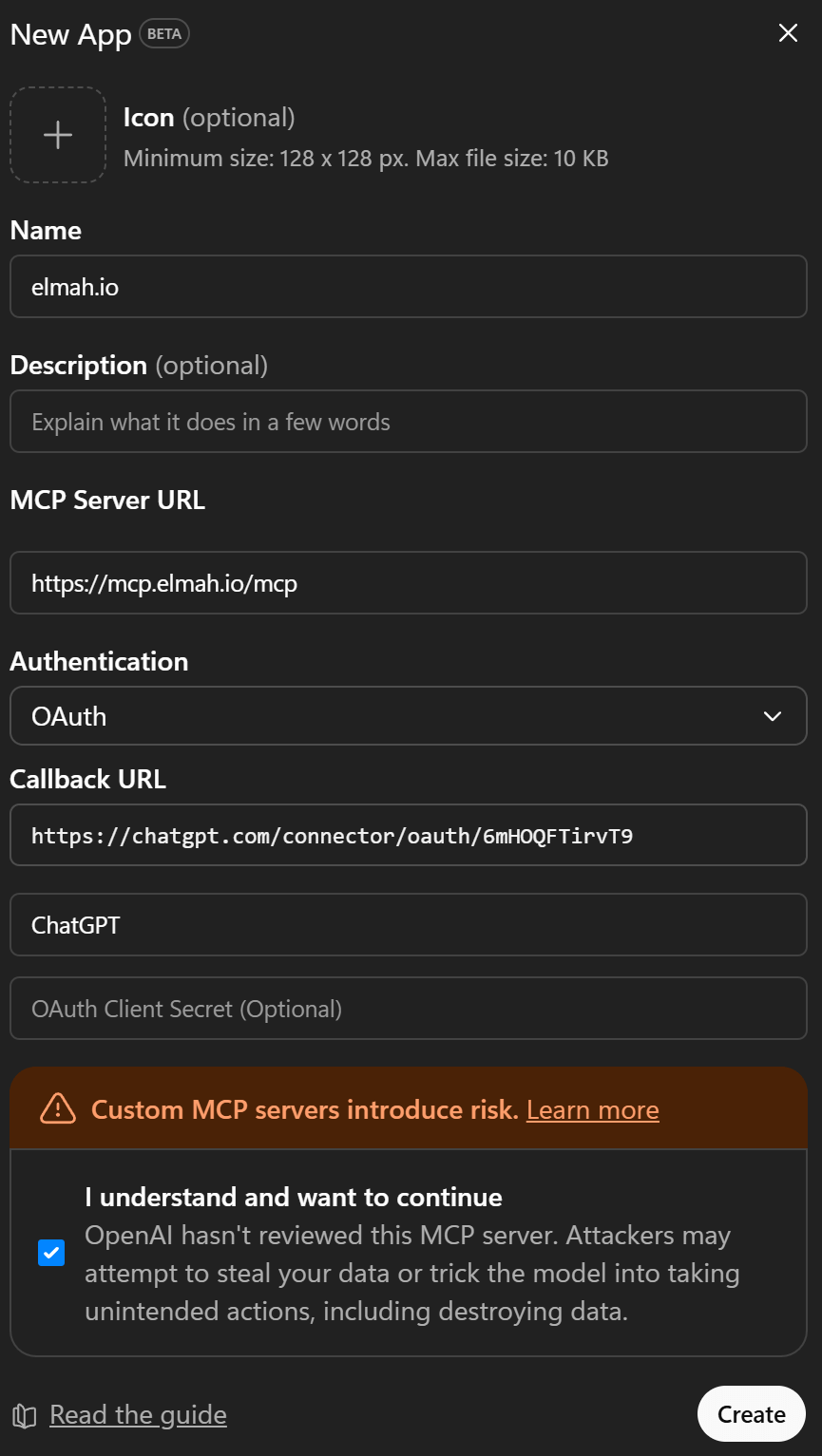
- Click the Create button and ChatGPT will open a browser window, asking you to sign into elmah.io.
- After signing in, you'll see a Confirm access screen showing the destination you'll be redirected to. Click Continue to proceed.
- When signed in, the elmah.io MCP server is added and ready to use.
This article was brought to you by the elmah.io team. elmah.io is the best error management system for .NET web applications. We monitor your website, alert you when errors start happening, and help you fix errors fast.
See how we can help you monitor your website for crashes Monitor your website